Outdoor Battery Strategy Guide: How to Keep Your Electronics Charged on the Trail
A field-tested approach to managing power on day hikes, backpacking trips, and thru hikes
May 1st, 2026
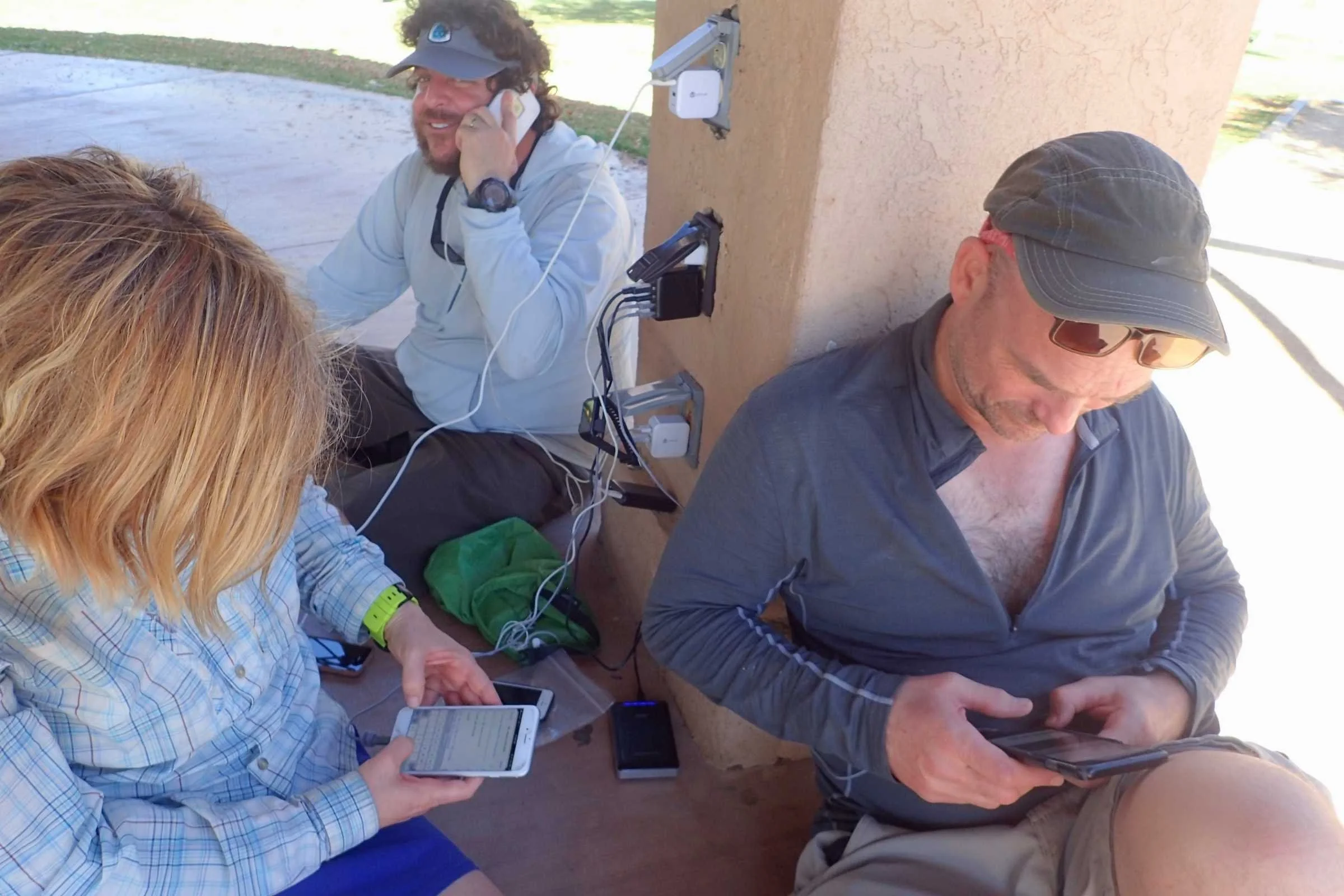
On the second night of my thru-hike of the Oregon Desert Trail, I realized my phone was at 8%. My Garmin inReach was fine (it barely sips power), but I still needed my phone for maps, photos, and pairing with my Garmin inReach. My power bank was buried at the bottom of my clothing dry bag, and I hadn't charged anything in camp the night before because I'd assumed my phone battery would hold.
It didn't.
That trip taught me something I now consider essential knowledge for anyone heading outdoors with electronics: a reliable battery strategy matters just as much as your food plan or your water system. You don't need a complicated setup, but you do need a plan. The good news is that a smart charging routine with the right power bank can keep everything running for days—without adding much weight to your pack.
This guide walks through everything I've learned about managing power on the trail, from choosing a power bank to building a nightly charging routine to dealing with cold weather that drains your battery. Whether you're planning a long day hike or a week-long backpacking trip, the goal is the same: keep your essential devices alive without overpacking cables and batteries.
We write mission-driven gear reviews. To find the best gear, we combine expert reviews, everyday user opinions, and rigorous independent trail testing—never pop-up or display ads. We are reader-supported and may make a small commission from some qualifying affiliate links. Learn more.
Identifying Your Essential Powered Devices
Before you can build a battery strategy, you need to figure out which electronics are actually coming with you. This sounds obvious, but I've watched plenty of hikers pack a headlamp, a GPS watch, a satellite communicator, a phone, wireless earbuds, and a camera, and then wonder why their 5,000 mAh battery isn't enough.
For most hikers and backpackers, the core powered devices fall into a few categories:
Smartphone. This is the biggest power draw for most people and also the most versatile device. It handles navigation (via apps like Gaia GPS, CalTopo, or FarOut), photography, communication when paired with a satellite messenger, and entertainment in camp.
GPS hiking watch. If you're using a dedicated hiking watch like the Garmin Instinct 3, your watch likely handles elevation tracking, activity recording, heart rate monitoring, and basic navigation. The good news is that most GPS watches are extremely efficient and can last for several days.
Satellite communicator. Devices like the Garmin inReach Mini 2 or the Garmin inReach Messenger are non-negotiable safety gear for many backcountry trips. These send check-in messages, enable two-way texting via satellite, and provide SOS capability. Their power needs depend on how you're using them. I rarely have to charge mine in the field.
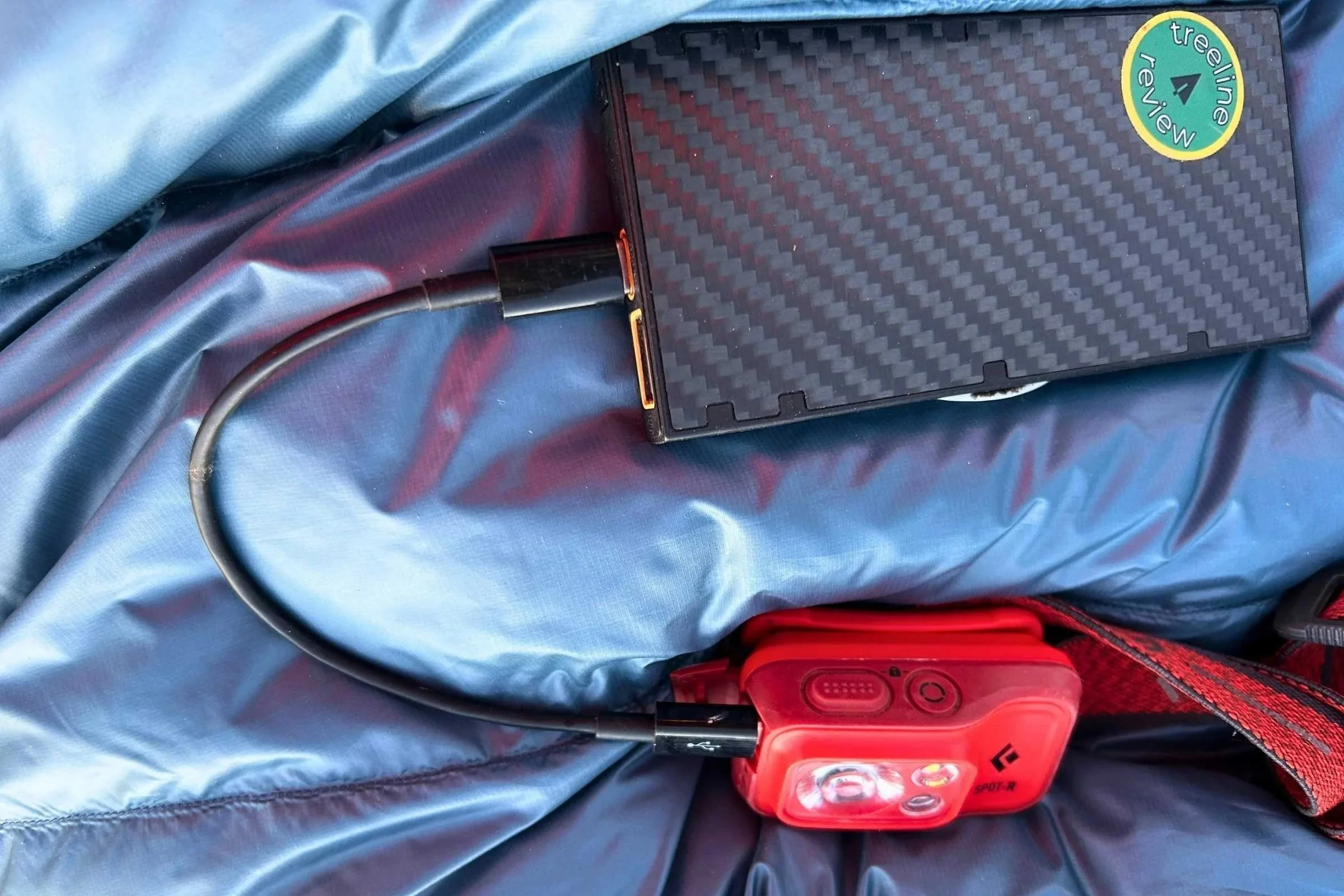
Rechargeable headlamp. Most headlamps now use rechargeable lithium-ion batteries charged via USB-C. I was skeptical of them at first, but testing them won me over. They're a huge improvement over AAA batteries (I don't miss carrying spare batteries), but it means your headlamp has to join the charging rotation.
Wireless earbuds. Not everyone carries earbuds or headphones, but if you do, you may need to charge them daily, depending on how long you use them.
That's the core list for most people. Some hikers also carry a rugged camera or an e-reader. Each additional device consumes power, so be intentional about what you bring.
Which Outdoor Devices Drain Battery Fastest
Not all devices are created equal when it comes to power consumption, and understanding which ones will drain battery life the fastest is the foundation of any good charging strategy.
Smartphones are the biggest drain, by far. A phone running a GPS navigation app with the screen on will chew through its battery in 4 to 6 hours. Even in airplane mode, with occasional use for photos and offline maps, most smartphones lose 15 to 25% of their battery per day on the trail. Even playing podcasts or music with Bluetooth headphones will drain the phone's battery more than you think. If you're using your phone as your primary navigation tool and looking at the screen frequently, expect to recharge every day or two.
GPS watches depend on how you use them. The Garmin fenix 8 Pro can last up to 15 days in smartwatch mode and up to 44 hours in GPS-only mode. I typically charge my watch every other day on a backpacking trip or thru-hike, and that's with using it all day for navigation. If you use the solar version in good conditions, you may not need to charge at all.
Satellite communicators are remarkably efficient. The Garmin inReach Messenger lasts up to 4 weeks in 10-minute tracking mode under ideal conditions. Real-world performance is a bit shorter, especially in heavily forested areas or canyons, or if you're sending lots of messages. Still, you generally won't need to recharge it on a trip of a week or less if you start fully charged. And if you use it only for emergencies, you will never need to charge it in the field.
Rechargeable headlamps vary widely. A headlamp like the BioLite Range 400 offers up to 200 hours on low, but only about 6 hours on high. If you're night-hiking or doing a lot of evening reading in the tent, headlamp battery consumption adds up faster than you'd think. In our headlamp testing, we've found that most rechargeable models get through 3–5 nights of typical camp use on a single charge.
The practical takeaway: your phone is the priority. It consumes the most power, holds the most critical information, and is the device most likely to die at the wrong time. Build your battery strategy around keeping the phone alive, and stop charging non-essential items if you're running low.
Building a Simple Charging System
A good outdoor charging system doesn't need to be complicated. In fact, the simpler it is, the less likely you are to forget a cable or skip a charging cycle. Here's what I pack for most multi-day trips:
One USB-C power bank. This is the core of the system. I'll get into sizing below, but for most weekend trips, a 10,000 mAh bank is plenty. For longer trips, 20,000 mAh gives you serious runway.
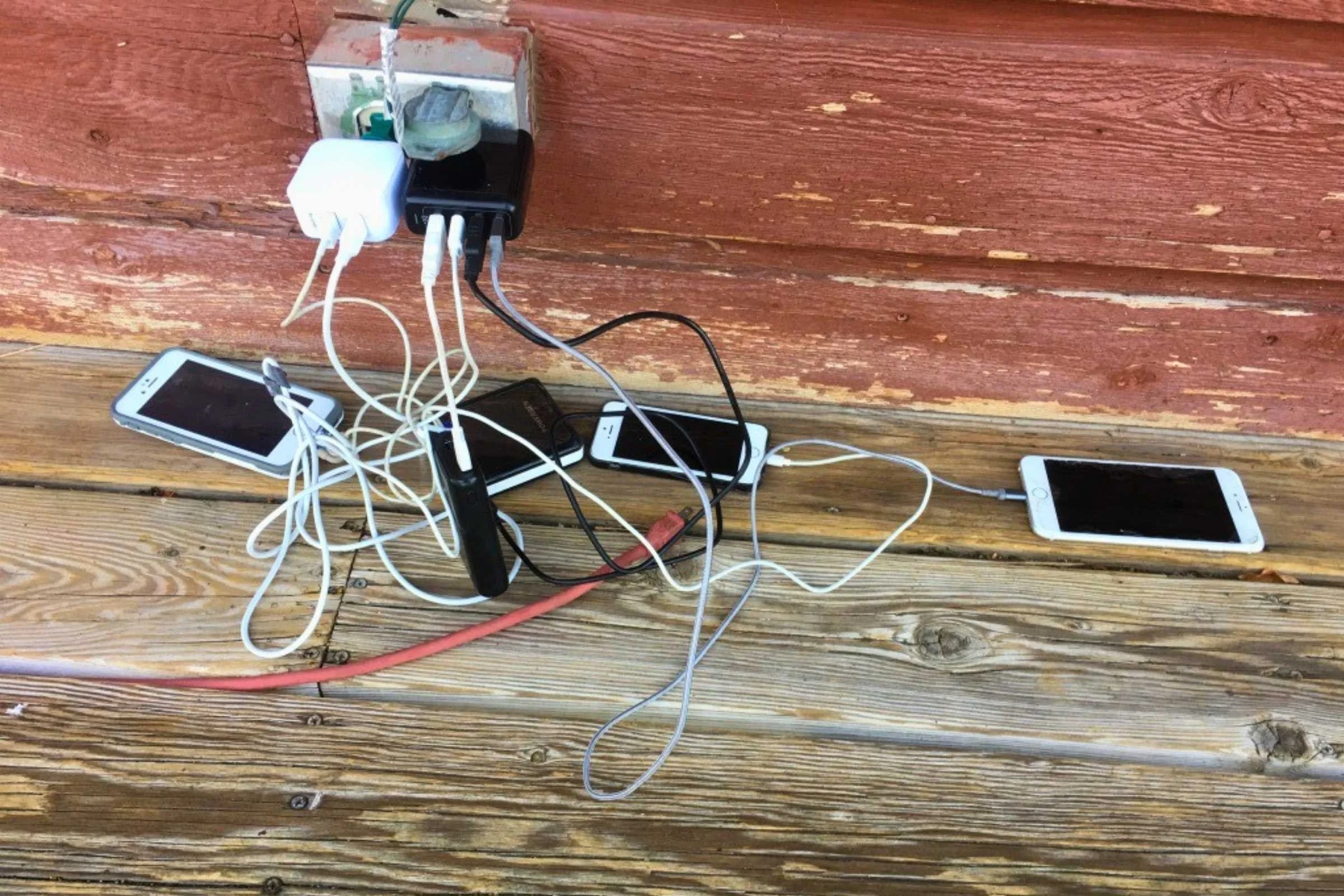
One high-quality, short USB-C to USB-C cable. Most outdoor devices, excluding GPS watches, now charge via USB-C. Carrying a single high-quality cable to power your phone, headlamp, and satellite communicator keeps things simple. A short cable (6 inches to 1 foot) is lighter and less likely to tangle than a full-length one. And high-quality cables reduce energy loss. Don't use a MagSafe charger. They are less efficient than traditional cables.
One proprietary watch charger. Unfortunately, Garmin and COROS still use proprietary charging cables. I carry two or three after-market cable adapters so that I don't have to carry a separate cable. Most watch chargers now terminate in USB-C on the power bank end, so you don't need a USB-A port.
That's it. Three items—a power bank, a USB-C cable, and a watch cable or cable adapter—handle 90% of backcountry charging needs. I keep these in a small ziplock bag inside my clothing dry bag so they stay dry and I can find them quickly in camp.
Some hikers add a small USB-C adapter or a multi-tip cable to cover edge cases, such as older iPhones. I'm still hoping for USB-C for all devices in the near future!
Choosing a Power Bank
Power bank selection is where a lot of hikers overthink things. The math is actually straightforward once you understand a few basics.
Capacity, measured in milliamp-hours (mAh). This is the number you see on every power bank. A 10,000 mAh bank holds enough energy to fully charge most smartphones about 1.5 to 2 times. A 20,000 mAh bank roughly doubles that.
Keep in mind that real-world charging efficiency means you lose about 10 to 20% of the rated capacity to heat and cable resistance. Voltage conversion results in even more energy loss. So a 10,000 mAh bank only delivers 6,300 to 7,200 mAh of usable charge. Most smartphones have batteries between 3,000 and 5,000 mAh, so a 10,000 mAh battery can fully charge a smartphone 1 to 2 times.
Weight matters for backpacking. A 10,000 mAh power bank typically weighs 5 to 7 ounces. A 20,000 mAh bank weighs 10 to 14 ounces (there's no weight savings from carrying one 20,000 mAh battery versus two 10,000 mAh batteries). For weekend trips, I almost always carry a 10,000 mAh bank. For trips of 5 days or longer or thru-hikes with long resupplies, I usually carry a 20,000 mAh or two 10,000 mAh batteries. Since there's no weight savings, I think carrying two 10,000 mAh batteries offers a little extra security in case one battery breaks or gets wet.
USB-C PD (Power Delivery) is worth it. Power banks with USB-C Power Delivery charge your devices faster and recharge more quickly before a trip. Charging time matters when your camp window is short, and you're trying to top off a phone and a headlamp before sleep.
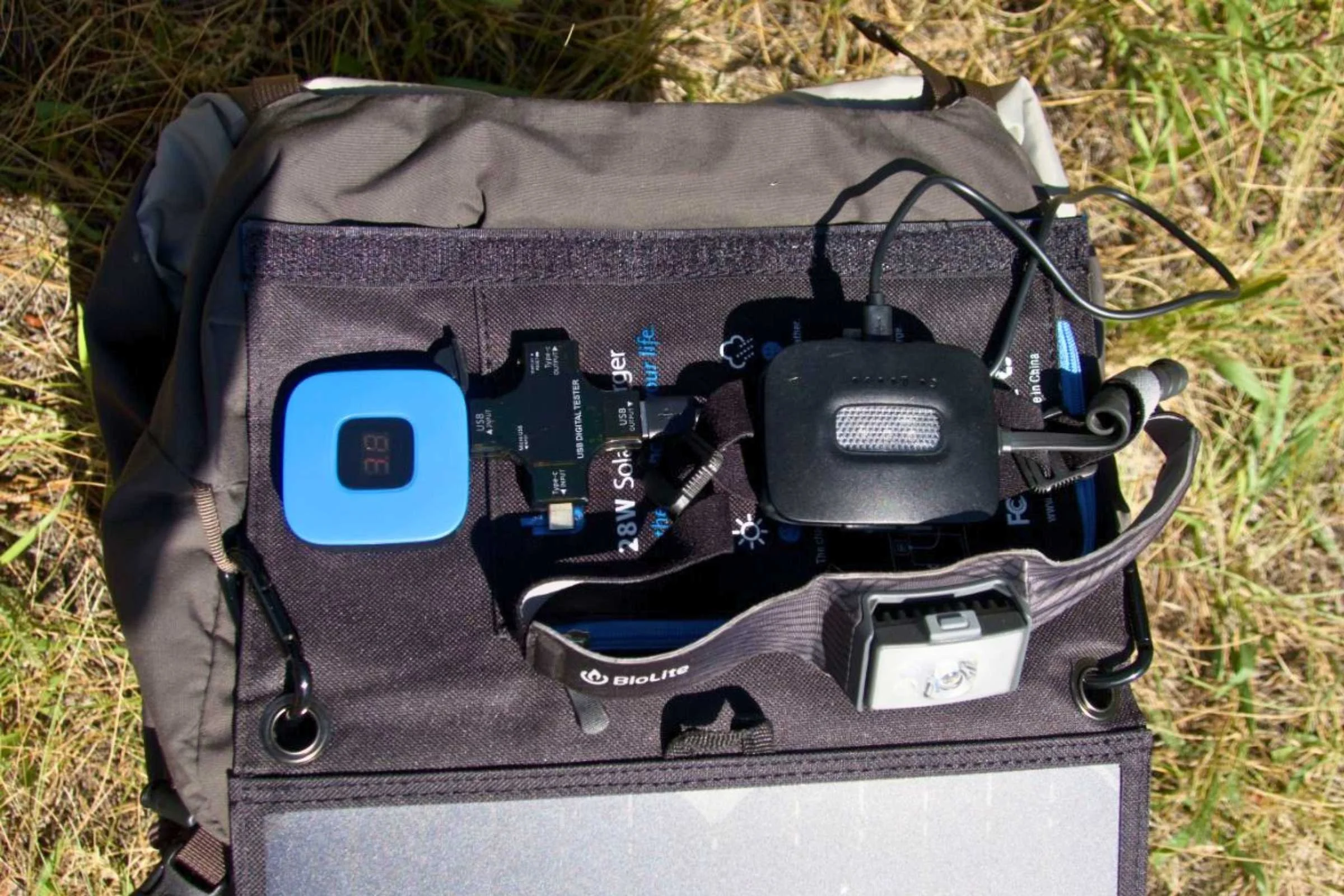
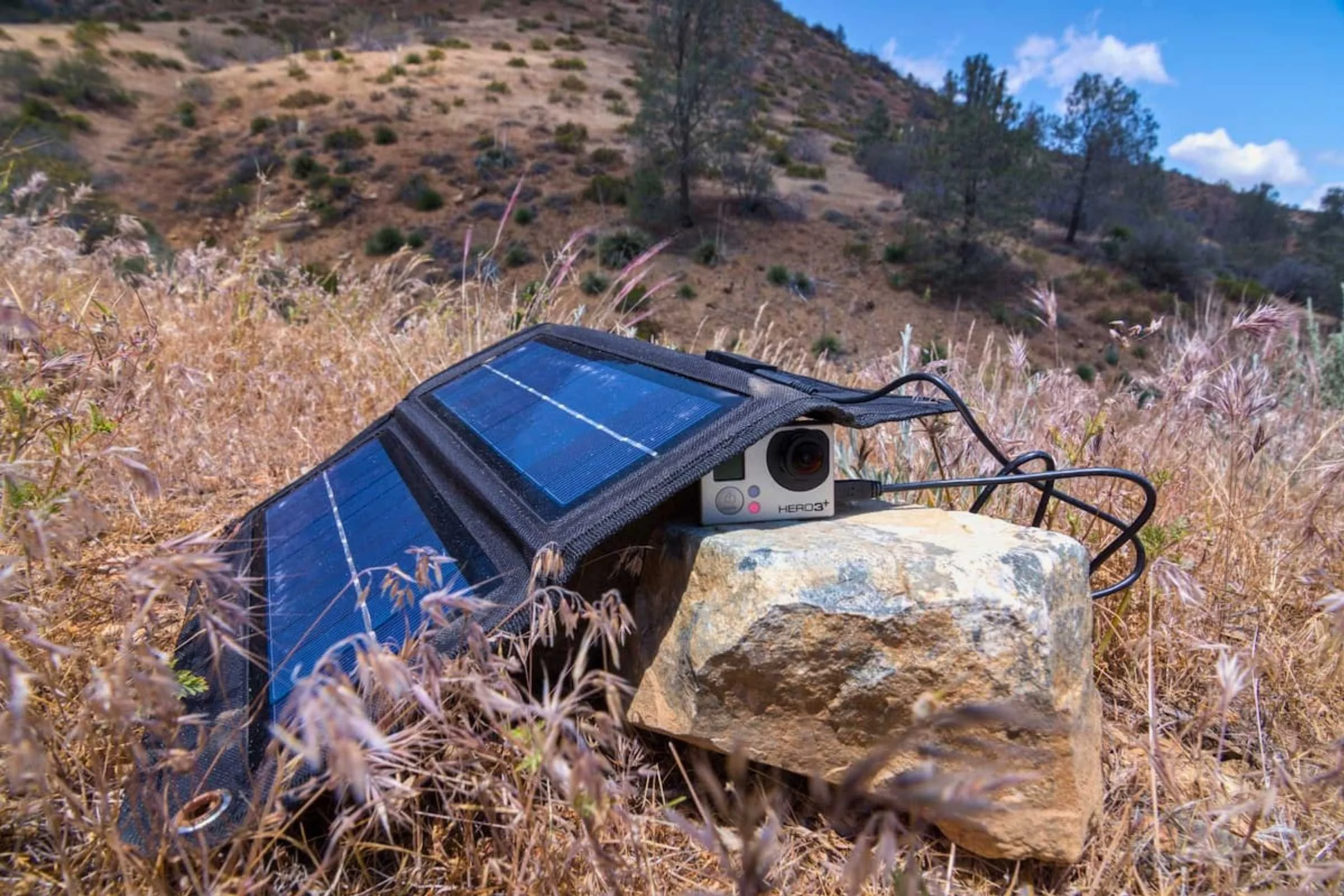
Carry a solar charger for longer trips. For shorter trips, portable solar panels may not be worth the weight and hassle (most weigh over a pound). They charge slowly, need direct sun, and you have to babysit them or clip them to your pack, where they bounce around and don't get consistent exposure. A 10,000 mAh power bank is lighter, more reliable, and always works—rain, shade, or darkness. The exception is extremely long trips (10+ days) where resupply isn't available and a larger solar setup starts to make sense.
Charging Routines and Battery Management
The biggest mistake I see hikers make is charging reactively (waiting until something dies) instead of proactively (charging on a schedule). If you keep on top of your highest-priority devices, such as your phone, then you’ll know when your power bank is running low and can stop charging lower-priority devices, such as headphones.
Here's the routine I've settled on after hundreds of nights in the backcountry:
Charge priority goes to safety devices first. When you plug in at camp, the order should be: satellite communicator, phone, headlamp, watch. The satellite communicator is your lifeline in an emergency. Your phone is second because it handles navigation and communication when paired with the inReach. The headlamp and watch can usually wait.
Top off your phone every night. Even if your phone is at 60%, give it a boost in the evening. It's much more efficient to keep a phone between 40 and 80% than to drain it to zero and do a full recharge. Partial charges are also better for long-term lithium-ion battery health.
Don't leave devices plugged in indefinitely. Most power banks will stop drawing power automatically, but I've had a situation where it didn't, and my power bank was completely drained by morning. Start charging the minute you get to camp, so you're done by the time you're ready to sleep. If you don't finish by bedtime, you can charge smaller devices in the morning while you're packing up.
Check battery levels every morning. Before you pack up camp, take 10 seconds to check the battery levels on your phone, satellite communicator, and watch. If anything is below 40%, plan to charge it that evening. If you're aware that the battery is low, you can use the device less during the day. This simple habit prevents surprises.
Battery Planning for Day Hikes vs. Multi-Day Trips
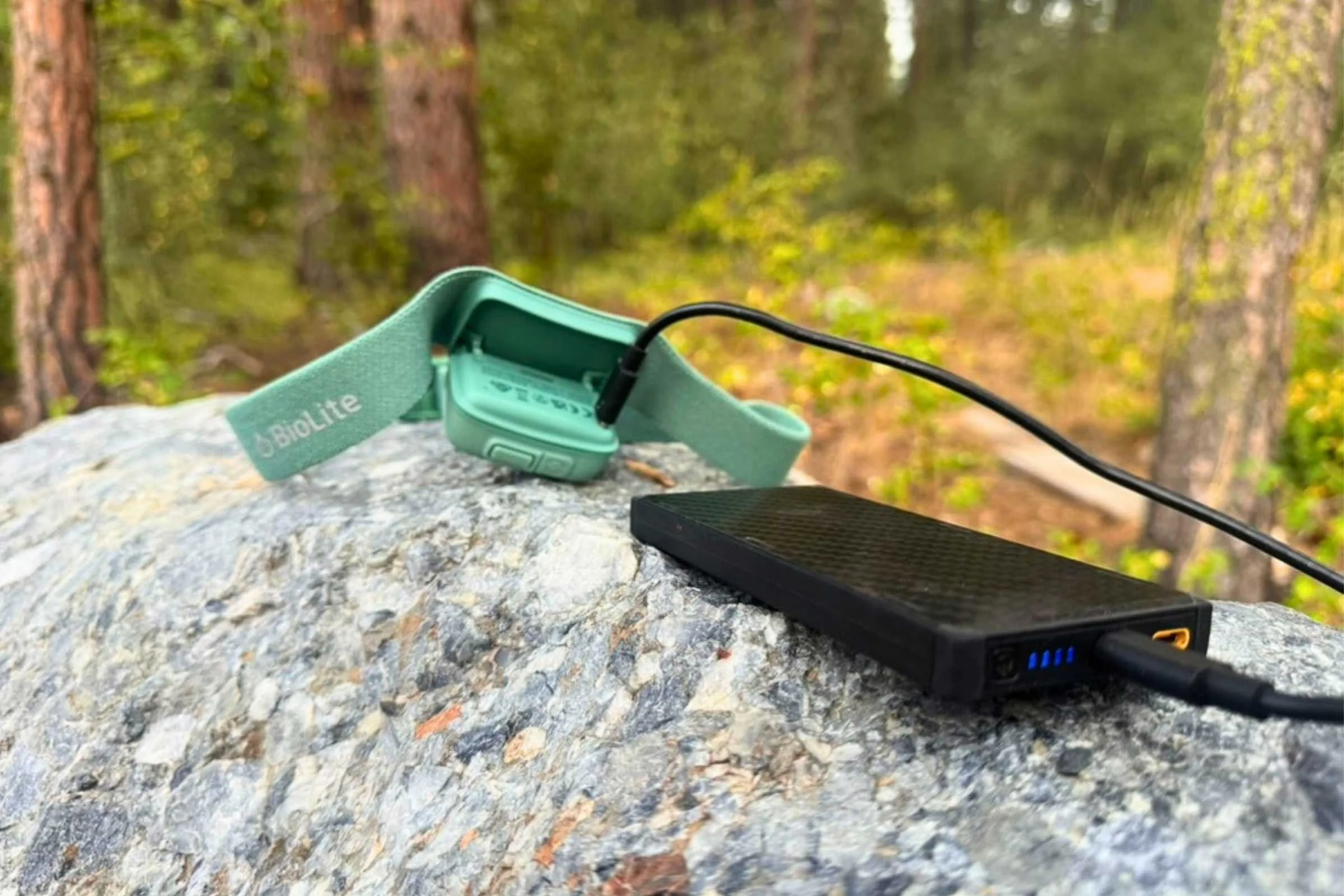
Your power strategy should scale to match the trip. Here's how I think about it for different trip lengths.
Day Hikes (Up to 10 Hours)
For most day hikes, you don't need a power bank at all. Start with a fully charged phone and watch, and you'll be fine. If you're doing a longer day hike—say, 8 to 12 hours—or if you plan to rely heavily on GPS navigation, a small 5,000 mAh power bank is cheap insurance. It weighs about 3-4 ounces and can fully recharge your phone.
The key day-hike habit: put your phone in airplane mode if you don't need cell service on the trail. Airplane mode alone can double your phone's battery life.
Overnight and Weekend Trips (1–3 Nights)
A 10,000 mAh power bank should be all you need for a weekend trip. You can fully charge a phone twice and top off a headlamp and watch. Start with everything fully charged, charge the phone each night, watch your usage (see below), and you'll get home with power to spare.
Multi-Day Backpacking (4–7 Nights)
This is where a 20,000 mAh power bank earns its weight. Over a week, you'll likely need to charge your phone 4 to 5 times, your headlamp once or twice, and your watch once. A 20,000 mAh bank handles all of this with a reasonable margin. Be disciplined about your charging routine and battery-saving habits, and 20,000 mAh is typically enough for a full week.
Extended Trips (8+ Nights) and Thru-hikes
For trips longer than a week without resupply, you either need a larger power bank, a resupply strategy that includes charging at a town stop, or extremely disciplined battery management. On thru-hikes, most hikers charge everything at town stops and carry a 10,000 mAh bank for the days between. This keeps pack weight down and works well for most section lengths of 3–5 days.
Cold Weather Battery Challenges
If you spend any time hiking or skiing in cold conditions, you already know that cold weather destroys battery performance. I've had my phone go from 50% to dead in mere hours on the Great Divide Trail when temperatures dropped below 20°F. Here's what's happening and what you can do about it.
Remember, cold kills batteries. Lithium-ion batteries generate power through a chemical reaction, and that reaction slows dramatically in cold temperatures. Below about 32°F, your battery starts delivering less usable energy even though the actual charge level hasn't changed. Below 0°F, some devices may shut off entirely despite showing remaining charge.
Keep devices warm. The single best thing you can do is keep electronics close to your body. Your phone should live in an inside jacket pocket or pants pocket, not in your pack's exterior mesh pocket, where it's exposed to direct sun, wind, and cold. At night, I sleep with my phone in my sleeping bag. It sounds excessive until you've woken up to a dead phone at 15°F. Some quilt manufacturers even have an internal stash pocket for this very purpose!
Insulate your power bank. Wrap your power bank in a spare sock or beanie inside your pack. Cold power banks charge devices less efficiently and deliver less total capacity. Keeping the bank insulated makes every milliamp-hour count. There are also thermal phone cases on the market that work super well to insulate in the heat and cold.
Watch for phantom drain. In cold weather, your phone may show a much lower battery level than it actually has. If you warm the phone up (body heat for 10 minutes), the battery percentage often jumps back up. Don't panic-charge based on a cold reading.
Pre-charge before bed. When winter camping, I make sure all my devices get charged in the tent, where my body heat keeps temperatures manageable, rather than trying to charge gear outside in the cold. I also try to keep them inside my sleeping bag while charging, and at the very least, I keep them off the ground.
Cold weather also impacts GPS watches and satellite communicators, though their smaller batteries are somewhat less susceptible since they're often worn against your skin or stored in an insulated pocket. Still, expect reduced battery life from all electronics when temperatures drop significantly below freezing.
Avoid Extreme Heat
High temperatures can also affect your battery. Avoid extreme temperatures (e.g., leaving your phone in a car) and direct sunlight. A thermal phone case also helps protect against heat.
Common Outdoor Battery Mistakes
After years of testing gear and talking with other hikers, these are the most frequent power-related mistakes I see on the trail.
Starting a trip without fully charged devices. It sounds basic, but I've done it. Charge everything the night before you leave, and double-check in the morning. Starting at 85% instead of 100% might not sound like a big deal, but that missing 15% could be the difference between a working phone and a dead one on day three.
Carrying too many cables. One USB-C cable and one watch cable. That's all most people need. Extra cables add weight, tangle in your bag, and often go unused.
Ignoring airplane mode. A phone constantly searching for a cell signal in the backcountry (where there is none) drains the battery at an alarming rate. Airplane mode, with Wi-Fi and Bluetooth off, is the single biggest battery saver available for your phone.
Running navigation apps with the screen on. If you're using your phone for navigation, don't just freeze the screen; close the app when you're not using it. Or, if you're using FarOut, turn off location services. Use your GPS watch for active navigation and your phone only for reference at trail junctions.
Relying on solar panels as a primary power source. I've already mentioned this above, but solar panels are a supplement. Don't count on solar as your primary charging method for trips under 10 days.
Not keeping a charging routine. The hikers who run out of battery are almost always the ones who don't charge until something dies. Build the habit of plugging in every night, and you'll rarely have power problems.
Leaving electronics exposed to cold. Phones left in pack pockets overnight in winter conditions often won't turn on in the morning. Keep them warm.
Preserving Your Power
The best way to not run out of power is to eliminate unnecessary power drains. Since your phone is usually the biggest user of power, here are the ways I've found to preserve my phone's power:
Put it in airplane mode. If your phone is constantly searching for service in the backcountry, the battery will be drained in no time.
Turn off WiFi and Bluetooth. Even if you're in airplane mode, make sure WiFi and Bluetooth are also turned off.
Enable low power mode. iPhones automatically turn on Low Power mode when the battery drops below 20%, but you can also turn it on manually.
Turn down the display brightness. I turn it as low as I possibly can while still being able to see the screen.
Turn off Background App Refresh. Some apps refresh automatically in the background, even if you're not using them.
Turn off Location Services in apps you're not using. At the very least, set Location Services to "While Using" for all apps.
Check your battery usage. If any apps are consistently using significantly more power, close them.
Turn off notifications. Some apps will "wake" your screen with notifications, which drains battery life.
Example Simple Battery Setup
Here's my go-to power kit for a typical 4-day backpacking trip:
Power bank: 10,000 mAh USB-C PD (approx. 6 oz). I bring two 10,000 mAh batteries if the trip is 5 or more days.
Cables: One 6-inch USB-C to USB-C cable, one Garmin proprietary charging cable with USB-C end (or a Garmin to USB-C adapter).
Devices and expected consumption: Phone (biggest draw) needs a partial recharge each night. GPS watch (Garmin fenix 8 Pro) needs to be charged every other day if you're using it for navigation. Satellite communicator (Garmin inReach Mini 3) usually doesn't ever need a recharge in the field. A rechargeable headlamp’s charge depends on how much you use it. In the summer, when the days are long, I usually don't use my headlamp at all.
Total power kit weight: About 8 ounces, including cables. This is less than a half-liter water bottle and keeps everything charged reliably for the full trip.
The key isn't having the most capacity, it's having enough capacity with a consistent routine and power management. Start charged, charge nightly, prioritize safety devices, and you won't have power anxiety on the trail.
Conclusion
A battery strategy doesn't need to be complicated. The hikers who always have a charged phone and a working headlamp aren't carrying more tech than everyone else, they're just being intentional about charging routines, airplane mode, and keeping electronics warm.
Start every trip with fully charged devices. Carry one appropriately sized power bank. Use one or two cables. Reduce your phone's power usage. Charge in priority order every night. Keep your phone out of the cold. That's really all there is to it.
Frequently Asked Questions
-
For a weekend trip (1 to 3 nights), 10,000 mAh is sufficient for most hikers. This provides approximately 1.5 to 2 full smartphone charges plus small top-offs for a headlamp and watch. For trips lasting 4 to 7 nights, step up to 20,000 mAh. On thru-hikes, most hikers carry a 10,000 mAh battery and recharge it at town stops every 3 to 5 days.
-
They work, but not well enough to be a reliable primary power source for most hikers. Portable solar panels charge slowly, need sustained direct sunlight, and deliver significantly less real-world power than their rated output, especially in variable weather, tree cover, or at acute sun angles. For trips under 10 days, a power bank is lighter and more dependable. Solar panels start to make sense only on extended wilderness trips without resupply.
-
Lithium-ion batteries rely on a chemical reaction to produce energy, and that reaction becomes less efficient as temperatures drop. Below 32°F, usable battery capacity drops significantly, sometimes by 20–40%. The battery isn't actually losing charge; it simply can't deliver it efficiently in the cold. Warming the phone back up often restores the reported battery level. Keeping your phone in an inside pocket close to your body is the best way to prevent loss.
-
Yes. While keeping your phone between 20 and 80% is generally better for long-term battery health, a backpacking trip is not the time to worry about that. Start at 100% for every device, every trip. You want maximum capacity when you're relying on these devices in the backcountry.
-
It depends on your power bank. Many modern power banks have two USB-C ports or one USB-C and one USB-A port, allowing them to charge two devices simultaneously. Simultaneous charging is slower per device, but it's convenient if you're topping off both overnight. Just make sure your power bank supports multi-port output—most 10,000+ mAh models do.
-
Put it in airplane mode whenever you don't need cellular service—this is the single biggest battery saver. Beyond that, reduce screen brightness, turn off background app refresh, disable location services for non-essential apps, and avoid using the camera flash. If you're using a navigation app, set the screen to turn off automatically and only wake it at trail junctions. These habits can easily double or triple your phone's battery life on the trail.
Why you should trust us / About the Author
Naomi Hudetz is a thru-hiker and co-founder of Treeline Review. Naomi left her corporate career to pursue her passion for the outdoors. She received the Triple Crown award for completing the Appalachian Trail, Pacific Crest Trail, and Continental Divide Trail and has hiked numerous other distance routes, including the Great Divide Trail across the Canadian Rockies (twice), Grand Enchantment Trail, Pacific Northwest Trail, the Arizona Trail, (most of) the Idaho Centennial Trail, the first known thru-hike of the Blue Mountains Trail, and the Oregon Desert Trail.
She is on the Board of Directors of the Continental Divide Trail Coalition and the former Treasurer of the American Long Distance Hiking Association-West and is based in White Salmon, Washington.
You can read Naomi’s Treeline Review stories on her author page.